Productivity Apps
Checklist Apps That Keep You On Track
Feeling overwhelmed by tasks? Discover the best checklist apps, everyday scenarios, and practical steps to boost your productivity and make habit-building a breeze—no matter how busy life gets.
Advertisement
You know the relief that comes with checking off a big task. That same satisfaction multiplies when your checklist is built into an app that nudges, organizes, and celebrates progress every step.
Staying organized helps you avoid forgotten details. Using a digital checklist increases your reliability, helps create lasting habits, and lets you feel calm as you move through your day.
If you’re eager to discover apps and strategies that make checklist routines stick, keep reading — these practical ideas and comparisons will help you take action today.
Build Consistency with Daily Digital Checklist Habits
Creating daily structure with checklist apps breeds reliability in your routines. This section introduces practical rules and examples for designing a personalized checklist system that sticks.
Start by picking one checklist for your morning. Label it, add three repeating essentials — such as “Feed the dog,” “Review calendar,” and “Pack lunch.”
Set Up Smart Reminders for Every Step
Add a reminder for each checklist item. For example, “7:30 AM: Review calendar” pops up just as you finish breakfast. Turn reminders into gentle rituals, not loud alarms.
When you dismiss a reminder, see how the incomplete task lingers until you check it off. That persistent checklist creates accountability so nothing slips through the cracks.
Enable notifications only for critical checklist items, so you don’t tune them out. Try, “Only buzz for deadlines, not for water breaks or small habits.”
Repeat Key Checklist Items to Build Lasting Habits
Repetition makes your checklist less about willpower and more about muscle memory. Pin recurring items like “Take vitamins” or “Send progress email” every weekday.
After two weeks, notice which checklist steps feel automatic. At this point, uncheck and re-add them only when you miss a day, reinforcing that chain.
If a new checklist item nags at the same time as brushing your teeth, anchor it right after in your workflow for a seamless transition.
| App Name | Sync Support | Best For | Quick Takeaway |
|---|---|---|---|
| TickTick | Cloud / Cross-device | Habit trackers & list nerds | Start with built-in habit checklists for quick wins |
| Todoist | Cloud / Web, Mobile | Multi-project & team users | Assign tasks for shared checklist projects |
| Google Keep | Cloud / Google ecosystem | Simple daily lists | Use color-coding for category checklists |
| Microsoft To Do | Cloud / Windows, iOS, Android | Personal task management | Create separate checklist tabs by focus area |
| Notion | Cloud / Cross-platform | Custom workflows | Design flexible tables or kanban boards for your checklist |
Integrate Checklist Tools to Capture Every Detail
Selecting the right checklist app ensures that quick ideas, to-dos, and project steps aren’t lost. Explore which integrations make checklist tools your second brain.
When a checklist syncs with your calendar, every event links to a related task — like “Buy snacks” attached to “Office meeting” — so nothing is forgotten.
Add Automatic Imports to Your Checklist Routines
Connect checklist apps to your email, calendar, or project tools. For instance, let meeting invites auto-create a “Prepare agenda” checklist every Monday morning.
Instant imports prevent forgetting details like “Print handouts,” which often slip through scattered sticky notes or inboxes. Automation keeps your checklist complete.
- Connect calendar tools: Every event gets a mini-checklist for prep, commute, and follow-up—ideal for busy weeks where even quick tasks matter.
- Set up email triggers: Starred emails become checklist tasks with one click, so you can triage requests as actionable to-dos on your device.
- Use voice commands: Build a checklist by saying “Add laundry to Saturday.” Spoken commands lower friction and capture ideas immediately.
- Link cloud notes: Send checklist items from your notes, so brainstorms and scribbled reminders always become visible next steps.
- Sync across devices: A checklist that isn’t on every device risks being ignored. Enable automatic updates for phone, tablet, and desktop to ensure nothing’s missed.
Choosing the right integrations for your checklist workflow will save you both time and the headache of missed details later.
Capture Every Task with Voice and Photo Entries
Some checklist apps let you record voice memos or snap quick photos. For example, say “Add oil change reminder” while walking to your car, or photograph a receipt as proof.
These features turn a passing thought or physical reminder into a checklist step without needing to type. It combines the convenience of paper with the reliability of digital tools.
- Record audio reminders: Speak checklist items as soon as you think of them and rely on scheduled playbacks to prompt action later in the day or week.
- Photo attachments: Snap a picture of a shopping list, package label, or product serial number to add rich detail that a text-only checklist misses.
- Add location tags: Save checklist tasks by location so your app nudges you, “Check the mailbox” right when you arrive home, or “Buy milk” at the grocery store.
- Use templates: Scan and save common checklists like “Travel packing” or “Weekly cleaning” so you can deploy them instantly, just like flipping to a bookmarked page.
- Data export: Send completed checklist reports to your email or cloud drive to review progress and maintain accountability in goal-driven environments.
Mixing voice and photo inputs with traditional checklists boosts flexibility so nothing falls through the cracks, even on busy or distracted days.
Use Shared Checklists for Family, Friends, or Teams
Collaborative checklist features streamline group coordination for events, trips, or division of chores. This section details sharing rules and group checklist etiquette.
Invite family to a shared checklist called “Grocery Run.” Assign each person a few ingredients with due dates and notes. Mark your items as done in real time.
Assign Tasks and Track Progress with Precision
When organizing a group project, assign checklist items like “Book flights” or “Reserve hotel” to specific members. Tracking who is responsible ensures accountability and even progress.
Use “Due Today,” “In Progress,” or “Waiting On” labels for shared checklist visibility. Everyone can see exactly where things stand instead of guessing or chasing updates.
Send polite nudges on overdue tasks. Try “Can you update the checklist for snacks by tomorrow?” to keep momentum positive and collaborative.
Celebrate Milestones and Maintain Motivation
Shared checklist apps sometimes add fun, visual cues like confetti or encouraging icons when you complete group tasks. Celebrating team wins, even small ones, increases motivation to keep going.
If a project stalls, use the checklist history to review exactly what was completed, when, and by whom. This transparency helps resolve issues without finger-pointing.
Schedule regular review moments, such as “Let’s check the trip checklist every Sunday night,” so collaboration remains smooth and deadline-driven.
Design Checklists to Fit Your Unique Productivity Flow
Customizing checklist formats means you work your way—not just how the app creator imagined. Here’s how to tailor checklist apps to your natural rhythms and preferences.
Morning people might set daily activating checklists for early wins, while night owls reserve deep-focus tasks for late-day checklists that support their energy.
Segment Tasks for Quick Wins and Big Projects
Create two checklist sections: “Quick (under 5 min),” and “Deep Work (over 20 min).” Categorize each new item as you add it for an instant overview of your day’s shape.
This rule matches your available energy and focus: tackle quick checklist items during short breaks, save the deep ones for uninterrupted stretches.
For example, label “Send birthday email” as quick and “Draft proposal” as deep; this avoids overwhelm and creates steady progress on big goals.
Adjust Checklist Priorities in Real Time
Drag and drop checklist tasks to reflect your evolving priorities. Move “Call plumber” to the top when a leak emerges; nudge “Read newsletter” down as your day tightens.
Turn on “priority color” flags. Bright red equals urgent, subtle blue means flexible. This color-coded visual signals allow you to triage your checklist at a glance when checking your app mid-meeting.
End each workday by shuffling tomorrow’s checklist for alignment with real demands, not just yesterday’s plans. This agile approach keeps your energy and motivation high.
Easily Visualize Progress and Upsize Accountability
If you want to see your achievements grow, pick a checklist app that turns completed items into satisfying graphs, streaks, or percentage bars for daily, weekly, or project views.
A visual checklist dashboard keeps you honest and builds momentum. When you see gaps—like two habits missed out of six—it’s clear what needs adjusting.
Create Regular Review Habits for Your Checklist Results
Set a five-minute evening ritual: open your checklist, skim completed items, and note any missed steps. Review trends for a gentle “reset” every week or month.
If you spot low readings—say, “Read for 20 minutes” missed three days running—edit your checklist: maybe the goal’s too high or the reminder time is off.
Capture lessons by typing a quick “What worked? What flopped?” in a checklist notes field. That fast insight helps next week’s checklist become more effective and rewarding.
Share Results with Allies for Social Motivation
Share your progress with a supportive friend or partner through app invites or progress screenshots. Seeing “18/20 checklist items done” triggers healthy accountability.
If your colleague checks in, say “Remind me to do my checklist review tonight!”—the promise helps you stick to the habit on lazy days. That’s positive peer pressure at work.
Use public checklist sharing or leaderboard features for book clubs, fitness groups, or project teams who thrive on visible goals and gentle competition.
Scale Up from Simple Checklists to Complex Project Tracking
Some checklist apps double as lightweight project managers, letting you connect lists, add subtasks, and see big projects as a series of small wins. This practical upgrade unlocks new opportunities for control.
Link checklist items under umbrella goals: “Plan wedding,” “Launch website,” or “Move apartments.” Each master checklist breaks into doable steps so you never feel stuck.
Add Due Dates, Attachments, and Comments for Clarity
Add deadline dates to every significant checklist item—like “Submit permit by April 10” or “Ship save-the-dates May 2.” Attach contracts, floor plans, or menus for context.
Leave comments: “Venue deposit sent 3/2, awaiting reply.” This approach replaces scattered emails and texts, making your checklist not just a list, but a single source of truth.
Encourage teammates to check for checklists before starting new work. The phrase, “Add it to the checklist, please,” ensures nothing critical gets buried.
Analyze Progress with Kanban or Timeline Views
Switch from a simple checklist view to board-style cards (“To Do,” “Doing,” “Done”). This makes momentum feel tangible and boosts motivation as you slide tasks across stages.
Timeline views let you see checklist bottlenecks—maybe three tasks stalled under “Waiting on feedback.” Instead of frustration, you gain specific targets for conversations and follow-up.
Use weekly status updates to summarize: “This checklist is 65 percent complete, blocked by approval on Task 6.” Share this insight so the whole team aligns priorities seamlessly.
Stay Motivated by Embedding Checklist Routines in Daily Life
When checklist use becomes a habit, organization and productivity feel natural—not forced. Here’s how to anchor digital checklist habits in real moments throughout your week.
Link checklist items with daily cues: attach “Take a walk” to lunch reminders, or review “Read for fun” at bedtime. Routines tie your checklist to actual triggers you can’t ignore.
If you slip up, forgive yourself and rebuild. Mark “Restart checklist” on Monday after a rough Sunday or streak lapse. Every checklist reset is a fresh start, not a judgment.
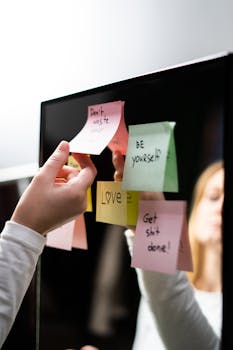
Mix tech and analog routines intentionally. Check off physical sticky notes while your app logs progress. It’s like using both a planner and an online calendar for total control.
Enlist a checklist buddy—family member, peer, or coworker—who uses the same app. Swap screenshots and give each other one concrete tip per week for real collaboration.
Reflect and Refine: Making Checklist Apps a Natural Extension of You
Checklist apps create time, structure, and space for what matters most. When you treat your daily checklist like a friendly nudge, it transforms work and home routines alike.
Experiment with integrations, formats, and visualizations until your checklist feels like second nature. Personalize reminders and use reviews to capture every lesson learned.
The impact of checklists multiplies the more you make them your own—and every small, checked-off win moves you toward bigger dreams, one step at a time.